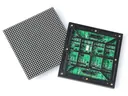
 Outdoor SMD Screens
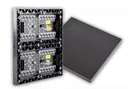 Indoor SMD Screens
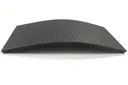 Flexible SMD Screens

Digital vs. Static Billboards: A Practical Comparison
Digital and static billboards each have strengths. This comparison looks at engagement, flexibility, the different cost models for advertisers and…
Digital signage is used everywhere from city streets to remote locations. Powering it with solar energy can reduce grid electricity use and make displays possible where the grid is weak or unavailable. This article explains how solar-powered or solar-assisted signage works, what components are involved, and the safety and design points to plan for. Any solar system must be designed and installed by qualified electrical professionals, with structural, fire and battery safety considered.
Solar panels generate electricity during daylight. With batteries, some of that energy can be stored to run a display in the evening or during cloudy periods. Systems can be fully off-grid, or connected to the grid (or a generator) so solar reduces, rather than replaces, other supply.
Potential benefits:
| Aspect | Solar-Powered or Solar-Assisted | Grid Only |
|---|---|---|
| Energy Source | Sunlight, with storage and/or backup | Grid electricity |
| Costs | Higher upfront; lower ongoing electricity use; battery replacement over time | Lower upfront; ongoing electricity costs |
| Environmental Impact | Generally lower in operation | Depends on the grid’s energy mix |
A solar system must be sized for the screen’s actual energy use. Start by reducing the load: an efficient LED screen with automatic brightness control and sensible operating hours needs a much smaller system. Then a qualified designer can size panels, batteries, charge controller and inverter for the site’s sunlight, the hours of operation and the number of cloudy days the system must cover.
Useful features include automatic brightness control, which reduces energy use at night, and remote monitoring of power use, generation and battery state. Any cooling approach must keep the screen and batteries within their rated temperatures; reducing fan use only makes sense if the thermal design allows it. Typical components:
| Component | What to consider |
|---|---|
| Solar Panels | Efficiency, rated output, space available and mounting design |
| Batteries | Chemistry, capacity, temperature limits, safety certification and a proper battery management system |
| Display | Efficient LED screen with automatic brightness adjustment |
| Charge Controller / Inverter | Matched to the panels, batteries and load (MPPT controllers are common) |
Outdoor solar systems bring practical challenges. Energy storage is a major one. Batteries must be suitable for the application, protected by a battery management system, and kept within their temperature limits. A weatherproof enclosure protects against rain and dust, but it does not by itself manage heat or fire risk: battery enclosures need ventilation or cooling as specified by the manufacturer, and fire-safety measures. In Pakistan’s summer heat, this is especially important.
Another challenge is panel placement. Shade from buildings or trees greatly reduces output. Options include:
Panel types commonly considered:
| Solar Panel Type | Typical Efficiency | Typical Use |
|---|---|---|
| Monocrystalline | Higher | Limited space with higher energy needs |
| Polycrystalline | Lower | Where space is less constrained |
Check the datasheet efficiency and warranty of the specific panels offered.
Storage and good controllers improve reliability. Batteries keep the display running when sunlight is low, and controllers manage charging and discharging to protect the batteries. Monitoring helps spot problems early so they can be fixed by qualified technicians.
How reliable the system is depends on correct sizing, quality components, backup arrangements and maintenance. Comparison:
| Feature | Basic Setup | With Good Controllers and Monitoring |
|---|---|---|
| Power Regulation | Less controlled | Better controlled |
| Energy Use | Less optimised | Better optimised |
| Problem Detection | After failure | Earlier, through alerts |
Q1: Why consider solar energy for digital signage?
Solar can reduce grid electricity use and emissions, and make signage possible in places with limited grid access. Whether it makes financial sense depends on the site, the screen’s consumption and the system cost.
Q2: Can solar panels keep digital signage running around the clock?
Only if the panels and batteries are sized for the full daily energy use, plus a margin for cloudy days. Large, bright outdoor screens running at night need substantial battery storage, so many projects use solar to supplement the grid or a generator rather than replace it.
Q3: How does solar-powered signage handle weather extremes?
Panels are designed for outdoor use, but heat reduces their output, and batteries are sensitive to temperature. Battery enclosures need proper thermal management and fire-safety measures, and structures must be designed for wind. Regular maintenance by qualified technicians is essential.
Q4: What are the upfront costs, and is it worth it?
The investment includes panels, batteries, controllers, inverter, structure and installation, plus future battery replacement. Compare this with the electricity it is expected to offset over the system’s life to judge the value.
Q5: Can solar-powered signage be tailored to different needs?
Yes. Systems can be designed for different screen sizes, operating hours and locations, from small off-grid signs to solar-assisted large screens.
Solar energy can make digital signage greener and, in some locations, possible where the grid cannot reach. Success depends on reducing the screen’s energy use, sizing the system correctly, keeping batteries safe and cool, and having qualified professionals design and install it.
Choosing a screen? Compare indoor SMD screens and outdoor SMD screens, browse our SMD screen products, or ask for a free quote.
Digital and static billboards each have strengths. This comparison looks at engagement, flexibility, the different cost models for advertisers and…
Digital signage thrives on attention. To create compelling content, blend vibrant visuals, concise messaging, and a clear call-to-action. Keep it…
Digital signage can help a brand stand out, but recall depends on content, placement and timing, and should be measured…