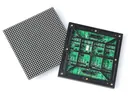
 Outdoor SMD Screens
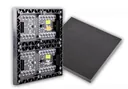 Indoor SMD Screens
 Flexible SMD Screens
How a Brand Leveraged Programmatic Advertising for Maximum ROI
A hypothetical walkthrough of how a brand might use programmatic advertising, including programmatic digital out-of-home (DOOH) on LED screens, to…
Digital signage has traditionally shown ads or looping videos. Adding a chatbot lets people ask questions and get answers, turning a one-way display into a two-way service. In this article we look at how chatbots can work with digital signage, what a typical setup needs, and the accuracy, privacy and accessibility limits to plan for.
A chatbot gives a digital sign a way to answer questions about products, services, directions or events. In practice, people interact through a touchscreen kiosk next to or below the main display, or by scanning a QR code that opens the chatbot on their own phone. Large LED video walls are not touchscreens themselves, but they can show answers, maps or offers triggered by the chatbot.
| Scenario | Possible Use |
|---|---|
| Retail store display | Answers questions about current offers and product details. |
| Museum exhibit | Visitors ask about exhibits and get curated answers. |
| Event signage | Attendees check schedules and venue directions. |
A good signage chatbot is only as reliable as the information behind it. It needs an accurate, regularly updated knowledge base (opening hours, offers, maps, FAQs), clear limits on what it will answer, and a simple way to reach a person when it cannot help. Answers generated by AI can be wrong, so test them before launch and review conversations regularly.
| Feature | Benefit |
|---|---|
| Anonymous usage reports | Show which questions are common, to improve content. |
| Natural language processing | Lets people type or speak questions in everyday language. |
| Fallback and handoff | Keeps visitors helped when the chatbot cannot answer. |
AI can tailor answers to what a visitor asks in the conversation. Going further, for example using facial recognition to identify returning customers, greeting people by name on a public screen, or showing recommendations based on purchase history, raises serious privacy concerns. Other people can see a public screen, and identifying individuals may require consent and be restricted under applicable laws. A safer approach is to personalise only within the current conversation, or let visitors continue privately on their own phone after they choose to sign in.
| Approach | Privacy Consideration |
|---|---|
| Answers based on the current question | Low; no identity needed |
| Opt-in sign-in on the visitor’s phone | Needs clear consent and a privacy notice |
| Facial recognition or CRM data on a public screen | High risk; get legal advice and generally avoid |
A typical setup has four parts: the display (and, if needed, a separate touch kiosk), a media player or kiosk computer, a chatbot service connected to your knowledge base, and a content management system that can show related content on screen. Not every signage platform supports chatbot integration, so confirm compatibility with the software provider first. A QR code that opens the chatbot on visitors’ phones is often the simplest option and avoids shared touch surfaces.
Chatbots and signage work best together when the screen supports the answer, for example by showing a map while giving directions, or displaying an offer the visitor asked about. Keep the network and devices secure, avoid storing conversations longer than necessary, and show a short notice explaining what is recorded. An overview of useful features:
| Feature | Functionality |
|---|---|
| Voice input | Hands-free option; test it in noisy spaces before relying on it. |
| Conversational AI | Answers questions from your approved knowledge base. |
| Content synchronisation | Shows maps or offers on screen to match the answer. |
| Multilingual support | Helps diverse audiences, if translations are checked. |
Q1: How do chatbots complement digital signage?
They add a question-and-answer layer to visual displays. People interact through a touch kiosk or their own phone, and the screen can show related information.
Q2: Can chatbots improve engagement with digital signage?
They can, by giving people a reason to interact, as long as the answers are accurate and useful. Measure usage and visitor feedback to see whether it is working.
Q3: What technologies are involved?
Natural language processing, a chatbot service, a knowledge base, cloud or network connectivity, and a touch kiosk, QR code or mobile interface. The signage software must support the integration.
Q4: Where are chatbots in digital signage useful?
Retail, hospitality, transport hubs, museums and events, for directions, schedules, product details and general information. In healthcare settings they should only give general, non-clinical information such as directions and opening hours, not medical advice.
Q5: What are the challenges?
Keeping answers accurate, maintaining connectivity, protecting privacy and data, designing accessible interfaces, handling different languages and accents, and providing a human fallback when the chatbot cannot help.
Chatbots can turn digital signage into a simple two-way service, answering common questions and pointing people to what they need. The best results come from an accurate knowledge base, clear limits, privacy-respecting design, accessibility testing and a human to step in when needed.
Choosing a screen? Compare indoor SMD screens and outdoor SMD screens, browse our SMD screen products, or ask for a free quote.
A hypothetical walkthrough of how a brand might use programmatic advertising, including programmatic digital out-of-home (DOOH) on LED screens, to…
Informed speculation about display marketing in 2030: likely directions for AI, AR, privacy, sustainability and physical screens, and which bold…
Projection mapping turns buildings and objects into temporary screens for events and campaigns. This guide explains how it works, where…