Digital billboards combine technology and storytelling, but they also use a significant amount of electricity, especially at high daytime brightness. Managing that energy use reduces running costs and environmental impact. This guide covers practical ways to make your digital billboard campaigns more energy-efficient. Actual savings depend on the screen, its settings and the site, so measure before and after any change.
Table of Contents
Optimizing Display Brightness for Impact and Minimal Waste
Brightness is one of the biggest factors in an LED billboard’s power use. Many LED screen controllers support an ambient light sensor or brightness schedule, so the screen can run brighter in daylight and dimmer at night. Using this keeps content readable during the day while reducing glare and power use after dark.
Correct brightness also improves how content is perceived: an over-bright screen at night is uncomfortable for viewers and can cause light nuisance for neighbours and drivers. Some tips:
- Use automatic or scheduled brightness and review the settings as seasons change.
- Avoid running at maximum brightness when it is not needed. The right level depends on the screen’s orientation, sun exposure, surroundings and any local rules, so set it on site rather than from a fixed number.
- Dim or switch off during late hours if your audience is mainly in the daytime, where your contracts and local rules allow.
| Scenario |
Brightness approach |
| Night-time |
Reduce well below daytime levels; follow any local limits |
| Overcast daytime |
Moderate; let the light sensor adjust |
| Direct sunlight on the screen face |
Highest setting needed for readability, within the product’s rating |
Choosing Energy-Efficient Hardware for a Sustainable Setup
Hardware choice has a large effect on energy use. For large outdoor billboards, direct-view LED is the usual choice because it can reach daylight brightness. Compare products using their datasheet figures for average and maximum power per square metre at comparable brightness, rather than general claims. Ask the manufacturer which certifications or efficiency labels apply to the specific product.
- Prefer efficient power supplies; check the efficiency figure on the power supply datasheet.
- Choose a controller that supports a light sensor or brightness schedule.
- Cooling must suit the site: fans, fanless or air-conditioned designs each have trade-offs. Fanless designs reduce fan power but only work if the cabinet’s thermal design suits the local climate, so follow the manufacturer’s guidance.
Typical components and what to check:
| Hardware |
Key Feature |
What to check |
| LED display cabinets |
Brightness control |
Average and maximum W per m² × screen area |
| Media players / controllers |
Scheduling and remote management |
Rated power on the datasheet |
| Light sensors |
Ambient light adjustments |
Compatibility with your controller |
Leveraging Smart Scheduling to Reduce Power Consumption
Scheduling can reduce energy use by running the screen at full output only when it is needed. Planning operating hours around when your audience is present, and dimming or switching off at other times, saves power while keeping the campaign visible when it matters.
- Adjust brightness by time of day, lowering it in the evening and at night.
- Set off or dimmed periods for hours with very little audience, where your contracts allow.
- Rotating several campaigns on one screen improves how the screen time is used, but it does not by itself reduce power: consumption depends on brightness, content and operating hours.
| Feature |
Benefit |
| Custom Scheduling |
Reduces energy use during off-peak hours. |
| Audience Data |
Helps decide when the screen needs to run at full output. |
Using Monitoring Data to Improve Efficiency
Monitoring helps you see how much power the screen actually uses and spot problems early. A power meter on the screen’s supply, together with the controller’s status reports, lets you compare settings and confirm what changes actually save.
Useful monitoring and control features include:
- Automatic brightness control that adapts to natural light.
- Playback schedules that prioritise high-traffic times.
- Fault alerts, so failed modules or power supplies are repaired by qualified technicians promptly.
How much each measure saves depends on the screen, the site and the starting settings:
| Optimization Action |
Effect on energy use |
| Automatic brightness |
Usually the largest saving, especially at night; measure on site |
| Targeted schedules |
Saves energy in proportion to hours dimmed or off |
| Fault monitoring |
Mainly protects uptime and image quality; energy effect varies |
Measuring before and after each change shows which steps work for your screen.
Q&A
How to Ensure Energy Efficiency in your Digital Billboard Campaigns: Q&A
Q1: Why should energy efficiency matter in digital billboard campaigns?
A1: Lower energy use reduces running costs and environmental impact, and responsible brightness also reduces light nuisance.
Q2: What display technology is used for energy-efficient digital billboards?
A2: Outdoor digital billboards normally use direct-view LED, which can reach daylight brightness and allows brightness to be adjusted. Efficiency varies between products, so compare datasheet power figures at similar brightness.
Q3: How can scheduling help improve energy efficiency?
A3: Dimming or switching off during low-audience hours reduces energy use. Automated schedules and timers in the controller make this straightforward.
Q4: Are there software tools that can help monitor and optimize energy consumption?
A4: Many LED controllers and content management systems allow remote control of brightness and operating hours, and some report status. Actual power use is best measured with a meter on the supply.
Q5: Can the design of the campaign itself affect energy efficiency?
A5: Yes. On an LED screen, bright and white areas use more power than dark areas, so designs with darker backgrounds and clear, high-contrast text can use less energy while staying readable.
Insights and Conclusions
Energy efficiency is both good practice and good business. Choosing efficient hardware, using automatic brightness, scheduling operating hours and designing content sensibly can reduce running costs while keeping your billboard effective. Measure your screen’s consumption so you can see which changes make a difference.
Choosing a screen? Compare indoor SMD screens and outdoor SMD screens, browse our SMD screen products, or ask for a free quote.
Planning a screen?Call 0306-1333384 or send your size and location for a free quote.
Contact us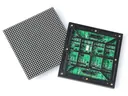 Outdoor SMD Screens
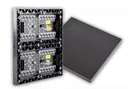 Indoor SMD Screens
 Flexible SMD Screens