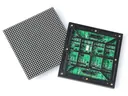
 Outdoor SMD Screens
 Indoor SMD Screens
 Flexible SMD Screens

Addressing Privacy Concerns in Programmatic Display Advertising
As programmatic display advertising grows, so do privacy concerns. Striking a balance between personalized targeting and user data protection is…
Many healthcare facilities still rely on notice boards and posters. Digital signage offers another way to share information with patients, visitors and staff, from wayfinding across large hospital campuses to updates in waiting areas.
This article looks at how digital displays can support communication in healthcare settings, and the safeguards needed around content, privacy and accessibility. Screens can help make visits clearer and more comfortable for many people, but they are a communication tool, not a clinical intervention.
Digital signage can help hospitals and clinics share information with patients, visitors and staff. Displays can show general waiting information, directions, services and events. Staff-area screens can share approved internal notices without interrupting work.
Content can be planned for different areas: calm visuals or short guides in waiting areas, healthy eating information in cafeterias, and clear directory screens for visitors. Examples:
| Type of Display | Content Example | Location |
|---|---|---|
| Interactive touch kiosk | Approved health information library | Waiting area |
| LED video wall | General announcements | Lobby |
| Digital menu board | Menu and general healthy-eating information | Cafeteria |
Large hospitals can be confusing. Wayfinding screens and kiosks can help visitors find departments. Interactive routing requires touchscreen kiosks and wayfinding software that the hospital keeps up to date; an LED wall on its own does not provide this. Clear wayfinding can reduce the number of directional questions staff need to answer.
| Feature | Benefit |
|---|---|
| Touchscreen navigation (kiosks) | Self-service directions |
| Multilingual content | Information in more languages |
| Interactive maps | Easier route-finding |
Touchscreens in clinical environments should be cleanable using the facility’s approved disinfection methods, as recommended by the manufacturer and the infection-control team.
Digital signage can make waiting areas more informative. Screens can show queue numbers or general wait information (without names or personal details), along with approved information about services and prevention. Calm visuals and gentle content can make the space more pleasant for many people, and multilingual content helps more visitors understand it.
Content ideas include:
If the facility wants to measure how content performs, it should use methods that do not identify or track individual patients, and follow applicable privacy law and the facility’s own policies.
| Key Feature | Possible Benefit |
|---|---|
| Queue updates (numbers only) | Helps patients know what to expect |
| Multilingual content | More inclusive communication |
| Calming media | A more pleasant waiting environment |
Screens in shared areas are seen by everyone, so they should show general information, not content targeted at individual patients’ conditions, demographics or appointments. Personal health information must never appear on public screens. Any use of patient data must follow applicable privacy law, consent requirements and the facility’s data protection policies, using only the minimum data needed.
Health and medication content should be:
Personalised information is better delivered through private channels, such as consultations or secure patient systems, rather than public displays. Kiosks or QR codes can link to approved resources so people can read at their own pace.
| Format | Use |
|---|---|
| Short videos | General, clinically approved guidance |
| Infographics | Explaining services or general health topics simply |
| Campaign slides | Public health campaigns such as vaccination drives |
Q1: What is digital signage, and how is it used in healthcare?
Digital signage means electronic displays showing videos, text or images. In healthcare settings it is used for announcements, wayfinding, general health information and awareness campaigns.
Q2: How can digital signage help patients find their way?
Maps and directions on screens and kiosks can help visitors find departments more easily. Interactive routing needs kiosks with wayfinding software that is kept up to date.
Q3: Can digital signage make waiting rooms more pleasant?
It can help, for example with clear queue information and calm content. Effects vary from person to person, so it should be part of a wider approach to patient comfort.
Q4: What should be considered for health education content?
Content should be clinically approved, reviewed regularly, general rather than personal, and supported by accessible alternatives.
Q5: Can digital signage help staff communication?
Yes. Screens in staff areas can share approved notices and updates, provided they do not show confidential patient information.
Digital signage can help healthcare facilities communicate more clearly, from wayfinding to waiting-area information and approved health messages. To do this well, facilities need good content governance, strict protection of patient privacy, accessible alternatives and reliable support for the equipment.
Choosing a screen? Compare indoor SMD screens and outdoor SMD screens, browse our SMD screen products, or ask for a free quote.
As programmatic display advertising grows, so do privacy concerns. Striking a balance between personalized targeting and user data protection is…
How brands use virtual reality to create immersive experiences, how VR differs from AR and LED-based immersive rooms, and the…
How SMD LED screens are changing outdoor advertising: bright modular displays, scheduled and updatable content, and practical steps such as…