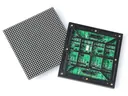
 Outdoor SMD Screens
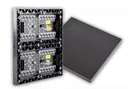 Indoor SMD Screens
 Flexible SMD Screens

The Impact of 3D Technology on Outdoor Advertising: A 2025 Overview
An overview of "3D" outdoor advertising in 2025: how anamorphic LED content, projection mapping, holographic-style displays and AR differ, where…
Interactive kiosks have moved beyond simple ticket machines. Today they are used for ordering, check-in, wayfinding, product information and loyalty sign-ups in shops, restaurants, hospitals, hotels and airports. Done well, they can save customers time and free up staff; done badly, they frustrate people or create privacy risks. This article looks at how interactive kiosks can improve customer engagement, which technologies are realistic to use, and what businesses need to check before adding features such as personalisation or recognition.
Interactive kiosks can offer a more personal experience when they are connected to a business’s own systems. For example, a customer who chooses to sign in with a loyalty card or phone number could see recommendations based on their past purchases, or a restaurant kiosk could remember a regular order. This works only when the customer opts in, and it depends on the kiosk software and its integration with the business’s loyalty, ordering or stock systems; it is not a feature of the touchscreen hardware itself.
Kiosks can also give businesses useful data, such as which options are most used or where customers abandon a process. Collect only what you need, tell customers what is collected and why, and keep it secure. The table below shows how such features can contribute:
| Feature | Customer Impact | Potential Business Benefit |
|---|---|---|
| Personalized Promotions (opt-in) | More relevant offers | Can support sales |
| Recommendations | Easier choices | More targeted marketing |
| Loyalty Integration | Convenient rewards | Can encourage repeat visits |
Several technologies shape modern kiosks. Analytics and AI-based recommendation tools can help tailor content and spot problems. Facial recognition and biometric authentication exist in some specialised deployments, such as certain airport or identity-check systems, but they are not standard in everyday retail kiosks. Biometric data is highly sensitive: using it requires a clear lawful purpose, explicit consent or another legal basis, clear notices, strong security, strict limits on how long data is kept, and careful assessment of the vendor. For most businesses, cards, PINs, QR codes and phone-based sign-in are simpler and less intrusive.
Remote management lets operators update content, monitor status and troubleshoot kiosks over a network. Augmented reality (AR) features can help customers visualise products or directions. Below is a snapshot of technologies used in kiosks:
| Technology | Application |
|---|---|
| Analytics / AI Tools | Recommendations & usage insights |
| Biometric Scanning (specialised use) | Identity checks where lawful and necessary |
| Remote Management | Real-time monitoring & maintenance |
| AR Visual Enhancements | Interactive product demos |
Interactive kiosks work best when they are simple to use. Clear navigation, responsive touchscreens, accessible font sizes, high-contrast colours and short processes help users finish tasks quickly. Design for accessibility from the start, including reachable screen heights for wheelchair users, audio or other alternatives where needed, and an easy way to get help from staff.
| Design Element | Impact |
|---|---|
| Touchscreen Sensitivity | Smooth navigation and reduced frustration |
| Customizable Themes | Better brand alignment |
| Accessibility Features | Usable by more customers |
Where you place a kiosk matters. It should be visible and easy to reach without blocking walkways, entrances or emergency exits. Common locations include entrances, checkout areas and product zones where customers often have questions. Kiosks must be securely fixed, and power and data cabling installed by a qualified electrician.
Kiosks work best when connected to other tools in the store. Retailers can consider:
Here’s a breakdown of typical kiosk placement across retail zones:
| Zone | Kiosk Purpose | Potential Impact |
|---|---|---|
| Entrance | Wayfinding & promotions | Helps customers find what they need |
| Aisles | Product information | Can support purchase decisions |
| Checkout | Payment & loyalty sign-up | Can encourage repeat visits |
Q1: What are interactive kiosks, and how are they evolving?
A: Interactive kiosks are self-service touchscreen stations that let users find information, complete transactions or engage with brands. They increasingly offer opt-in personalisation, multilingual menus, touchless options via QR codes and better accessibility.
Q2: How do interactive kiosks enhance customer engagement?
A: They let customers explore products, place orders or get information without waiting for staff. Clear design, relevant content and optional personalisation can make the experience more engaging.
Q3: In which industries do interactive kiosks have the biggest impact?
A: Retail, food service, healthcare, hospitality and transport are major users, for example ordering kiosks in restaurants, patient check-in at clinics, self-check-in at hotels and wayfinding in airports.
Q4: What are the key technologies behind interactive kiosks?
A: Touchscreen displays (usually LCD), kiosk software, payment terminals, remote management, and in some cases analytics, AR or app integration. Facial recognition and biometrics are used only in specialised cases and carry significant privacy and legal obligations.
Q5: Are there any challenges to the widespread adoption of interactive kiosks?
A: Yes: upfront cost, ongoing software maintenance, cybersecurity for payment and personal data, accessibility for all users, and compliance with privacy law when collecting customer data. A careful vendor assessment and a clear data policy help address these.
Interactive kiosks can make customer service faster and more convenient while giving businesses useful insights. The most successful deployments keep things simple and accessible, connect properly to existing systems, and treat customer data with care, using personalisation only when customers opt in. Approached this way, kiosks can become a helpful part of the customer experience rather than a gimmick.
Choosing a screen? Compare indoor SMD screens and outdoor SMD screens, browse our SMD screen products, or ask for a free quote.
An overview of "3D" outdoor advertising in 2025: how anamorphic LED content, projection mapping, holographic-style displays and AR differ, where…
Digital billboards are transforming advertising, but their environmental impact matters too. By leveraging solar power, energy-efficient LEDs, and smart scheduling,…
AR billboards link a physical or digital billboard to an augmented reality experience on people's phones. This guide explains how…