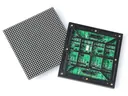
 Outdoor SMD Screens
 Indoor SMD Screens
 Flexible SMD Screens

The Role of Programmatic Advertising in Display Marketing
How programmatic advertising works online, on connected TV and on digital billboard networks: buying methods, an example workflow, and its…
In the food industry, menus change often: new items, seasonal specials, breakfast and dinner menus, sold-out dishes. Digital menu boards make these changes easier and add movement and images that printed boards cannot. In this article we look at the display technologies available, how menu boards can be integrated with restaurant systems, and what the future may bring.
“Digital menu board” covers several quite different technologies, each suited to different situations:
| Technology | Best Suited To | Things to Consider |
|---|---|---|
| LCD screens | Indoor counters viewed up close | Common and affordable; bezels show if screens are tiled; standard models can wash out in sunlight |
| Direct-view LED (SMD) | Large, seamless or very bright boards, including drive-throughs and storefronts | Choose a fine pitch for close viewing; outdoor use needs an outdoor-rated model |
| E-paper (e-ink) | Mostly static menus and price-style labels | Very low power and readable in daylight, but limited colour and no smooth video |
| Touch screens and kiosks | Self-ordering and browsing | Need hygiene routines, accessible placement and ordering software |
Software features are evolving too. Content management systems can switch menus by time of day (dayparting) or show warm drinks on cold days. Some platforms offer AI-assisted suggestions for which items to feature. AR experiences, usually on customers’ phones via a QR code, can show 3D previews of dishes. These features depend on the software you choose, not the screen itself.
On a shared menu board, personalisation usually means context: showing breakfast items in the morning, local favourites in each branch, or promoting dishes that suit the weather. Individual personalisation, such as recommendations based on a customer’s dietary preferences or order history, usually happens on a self-order kiosk or app after the customer signs in or chooses options, with clear consent. Any dietary or allergen information shown must be accurate and kept up to date, and customers with allergies should be encouraged to confirm with staff.
| Feature | Benefit |
|---|---|
| Content scheduling | Shows the right menu at the right time. |
| Customer feedback | Helps refine which items to feature. |
| Data-assisted suggestions | Highlights items based on sales trends, reviewed by staff. |
Digital boards reduce reprinting, but they use electricity. Which technology uses less power depends on the specific models, their size, brightness and operating hours, so it is not true that LED always uses less than LCD, or the reverse. Compare the manufacturers’ power figures for the products you are considering. Adaptive brightness and scheduled switch-off outside opening hours both reduce consumption.
| Key Feature | Benefit |
|---|---|
| Scheduled power-off and dimming | Reduces power use outside busy hours |
| Good ventilation | Helps the display run within its temperature range, especially near kitchens |
| Responsible end-of-life handling | Reduces e-waste |
Start by understanding your current workflow: who updates the menu, how often, and where item information comes from. Some menu board software can connect to point-of-sale (POS) or inventory systems so items can be marked as sold out and menu details stay in sync. Integration depends on your POS provider and signage software supporting it, so confirm compatibility, data security and who maintains the connection before you buy. Any automated change to menu prices should be reviewed by staff.
Consistent branding across menu boards, social media and in-store materials also helps. A comparison with traditional boards:
| Feature | Digital Menu Boards | Traditional Boards |
|---|---|---|
| Updates | Quick multimedia updates | Reprint or repaint |
| Menu changes | Can be scheduled or synced with POS, where supported | Manual |
| Engagement | Images, video and animation | Static |
| Running needs | Power, software and maintenance | Minimal |
Screens and wiring near kitchens should be installed by a qualified electrician, away from heat, steam and water.
Q1: What are digital menu boards, and how have they evolved?
They are electronic displays showing menus, promotions and other content. They started as screens replacing printed menus and now often include dayparting, scheduled promotions and links to ordering systems.
Q2: How do digital menu boards improve the customer experience?
Clear layouts and good food images help customers decide, and accurate, up-to-date information reduces confusion about specials or sold-out items.
Q3: What role will technology play in the future?
Expect more scheduling based on time and weather, better integration with POS, delivery platforms and loyalty apps, and AI-assisted suggestions on which items to feature, with individual personalisation mostly on opt-in kiosks and apps.
Q4: Do digital menu boards help sustainability?
They reduce printing, but use electricity. Choosing efficient models, dimming and switching off outside opening hours, and keeping equipment in service longer all help.
Q5: Are digital menu boards only for large chains?
No. Smaller businesses can start with one or two screens and simple software, and expand over time. Compare the total costs, including software and maintenance, before deciding.
Digital menu boards make menus easier to update and more engaging. The right choice depends on the space, viewing distance and lighting, and the best results come from accurate content, sensible integration and respect for customer privacy.
Choosing a screen? Compare indoor SMD screens and outdoor SMD screens, browse our SMD screen products, or ask for a free quote.
How programmatic advertising works online, on connected TV and on digital billboard networks: buying methods, an example workflow, and its…
How to adapt display marketing, online and on LED screens, for different audiences using real research instead of stereotypes, with…
Digital billboards can adapt content to time, weather, location and events, and invite opt-in interaction via phones. Here is how…