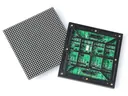
 Outdoor SMD Screens
 Indoor SMD Screens
 Flexible SMD Screens

Creating Immersive Experiences with AR in Retail
Augmented reality is transforming retail, bridging the physical and digital worlds to offer immersive experiences. From virtual fitting rooms to…
Voice control is familiar from phones and smart speakers, and some digital signage now uses it too: a person speaks to a screen instead of tapping through menus. This guide explains how voice-activated signage works, where it can help, its real limitations, and how to design it to be accessible and respect privacy. It is a general guide to the technology, not a description of a product SMDLED offers; voice features come from separate microphones, software and services added to a display.
Voice lets users ask a question directly instead of navigating menus. It can help people who find touch screens difficult, and it reduces the need to touch shared surfaces, which may be welcome in busy places, though it is not a substitute for normal cleaning or health measures.
| Scenario | Voice Command | Response |
|---|---|---|
| Mall navigation | “Where’s the nearest coffee shop?” | Shows nearby coffee shops and directions. |
| Product enquiry | “Show me summer jackets on sale.” | Highlights relevant items and store details. |
Possible uses include:
Real-world limits: Speech recognition accuracy drops in noisy places such as stations and malls, and varies with accents, mixed languages and less widely supported languages. In Pakistan, support for Urdu and regional languages, and for mixed Urdu-English speech, should be tested carefully before deployment. Directional microphones, push-to-talk buttons and clear on-screen prompts help.
| Feature | Consideration |
|---|---|
| Touch-free interaction | Fewer touches on shared surfaces; still needs a touch or button alternative |
| Language support | Test with real users, accents and background noise |
| Availability | Depends on network, software and maintenance; plan for outages |
Voice should be one option among several, not the only way to use a sign. Good practice includes:
Voice systems capture audio, which may include personal information and bystanders’ conversations. Privacy-first design includes:
| Feature | Privacy Benefit | Functional Note |
|---|---|---|
| On-device processing | Less data transferred | May support fewer languages |
| Push-to-talk | Captures audio only when requested | Fewer accidental activations |
| No recording storage | Reduces risk if systems are breached | Limits later analysis |
1. What is voice-activated digital signage?
A digital display combined with microphones and speech recognition software, so users can request information by speaking.
2. How does it help user engagement?
It lets people ask for what they need directly, which can make information easier to find when it works well.
3. Does it work in noisy places or with different languages?
Accuracy drops in noise and varies by accent and language. Test thoroughly, including Urdu and mixed-language speech, and always provide alternatives.
4. What are the advantages over touch?
Fewer touches on shared surfaces and an option for people who find touch screens difficult. It should complement, not replace, other ways to interact.
5. Is voice signage the future of digital displays?
It is likely to grow in some settings, alongside touch, QR codes and staff support, rather than replacing them.
Voice-activated signage can make information easier to reach for some users, but it works best as one option among several. Successful projects test recognition in real conditions, design for accessibility, protect privacy and plan for when the system is unavailable.
Choosing a screen? Compare indoor SMD screens and outdoor SMD screens, browse our SMD screen products, or ask for a free quote.
Augmented reality is transforming retail, bridging the physical and digital worlds to offer immersive experiences. From virtual fitting rooms to…
Interactive kiosks can speed up service and improve customer engagement. Here is how to design and place them, which technologies…
An overview of "3D" outdoor advertising in 2025: how anamorphic LED content, projection mapping, holographic-style displays and AR differ, where…