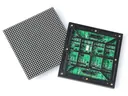
 Outdoor SMD Screens
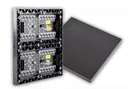 Indoor SMD Screens
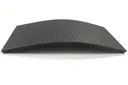 Flexible SMD Screens

Outdoor Advertising in the Age of Smart Cities
As smart cities rise, outdoor advertising evolves, merging tech and creativity. Dynamic billboards and interactive screens now adapt to data,…
Note: The retailer in this article is a hypothetical example used to illustrate how smart displays can be used in stores. It is not a real SMDLED client, and no real sales or performance figures are reported.
In retail, attention is fleeting and competition is fierce, so creating meaningful connections with customers matters. Smart displays are one tool stores use to do this. In this article, we imagine how a retailer might introduce smart displays to make the in-store journey more engaging, and what such a project would really involve.
Stores are using a mix of display types to engage shoppers. Large LED video walls and screens are excellent for bright, eye-catching promotions and brand content. Interactive features, such as letting customers browse inventory, check prices and explore product details, usually come from separate touchscreen kiosks or tablets connected to the store’s systems; they are not a built-in feature of a standard LED video wall.
In our hypothetical store, the retailer might use smart displays in different zones. In fashion retail, a fitting-room kiosk could let customers request other sizes. A grocery store could show recipe ideas on a screen near related products. Possible benefits include:
| Feature | Customer Benefit | Retailer Advantage |
|---|---|---|
| Product Information | Answers without waiting | Staff time freed for complex queries |
| Self-Service Help | Faster simple answers | Operational efficiency |
| Loyalty Integration | Rewards visibility | Encourages repeat visits |
Sales and inventory data can guide what a store shows on its screens, for example promoting popular items, seasonal ranges or products that pair well together. Sensors or analytics software can add more insight, but they need to be chosen, integrated and used with attention to customer privacy.
Rather than quoting invented results, the table below lists what a retailer could measure to judge whether each feature is working:
| Feature | What to measure |
|---|---|
| Complementary Product Suggestions | Sales of promoted pairings compared with a period without the content |
| Inventory-Linked Information | Fewer customer queries about stock, fewer missed sales |
| Seasonal Promotions Highlighted | Sales of promoted lines against the campaign’s cost |
Measured carefully over time, these figures show whether the displays are helping customers decide and whether they justify the investment.
Some retailers use software to tailor recommendations and promotions. On a shared in-store screen, personalisation is usually based on context, such as time of day, location in the store or what is selling well, rather than on an individual’s personal history. Using personal data, such as purchase history through a loyalty app, requires the right software, customer consent and compliance with data-protection rules.
Approaches a store could try include:
Below are simple examples of how this could work:
| Scenario | Smart Display Interaction |
|---|---|
| Winter Clothing Section | A nearby screen shows scarves and gloves that match the featured coats. |
| Electronics Store | A kiosk lets shoppers browse home-automation bundles and compare them. |
Good integration means displays fit the store’s design and branding rather than looking like add-ons. Large LED screens are well suited to storefronts and feature walls, while touch interaction, motion sensors, scanning or payment features require additional hardware and software that must be specified and integrated separately.
Smart displays can show promotions, digital catalogues and approved customer reviews within a consistent visual style. Ideas a retailer might explore include:
| Feature | Benefit |
|---|---|
| Product Demo Videos | Show shoppers how products work. |
| Checkout Support (with POS integration) | Can help speed up checkout where scanning or payment systems are added. |
To bring some of the convenience of online shopping into the store: easier access to product information, timely promotions and clearer navigation.
It depends on the setup. LED screens and video walls show scheduled content from a content management system. Interactive features, such as touch browsing, stock checks and recommendations, need touchscreen kiosks or tablets plus software connected to the store’s product and inventory systems.
More independence while shopping, quicker answers to simple questions and clearer product comparisons. Features such as virtual try-on are possible only with dedicated AR hardware and software.
Training staff to help customers use the technology, keeping content and product data up to date, designing interfaces that are easy to use, and protecting customer data.
By comparing results before and after installation, or between stores with and without displays, using measures such as sales of promoted items, customer feedback and queue times. Results will vary by store and should be checked rather than assumed.
As shoppers expect smoother, more relevant experiences, smart displays give retailers new ways to connect physical stores with digital convenience. The best results come from choosing the right mix of screens and software, integrating them carefully, and measuring honestly. Retailers that plan this way are well placed to use the technology to good effect.
Choosing a screen? Compare indoor SMD screens and outdoor SMD screens, browse our SMD screen products, or ask for a free quote.
As smart cities rise, outdoor advertising evolves, merging tech and creativity. Dynamic billboards and interactive screens now adapt to data,…
Emerging technologies in display marketing, from AI tools and AR to programmatic buying, and which ones matter for online ads…
Camera-based audience analytics and facial recognition are discussed as ways to adapt digital ads, but they raise serious privacy, consent,…