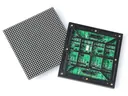
 Outdoor SMD Screens
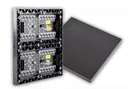 Indoor SMD Screens
 Flexible SMD Screens

Top 5 Software for Managing Content on Your SMD Screen
A practical overview of common software used to configure and manage content on SMD LED screens, including NovaStar, Colorlight, Huidu…
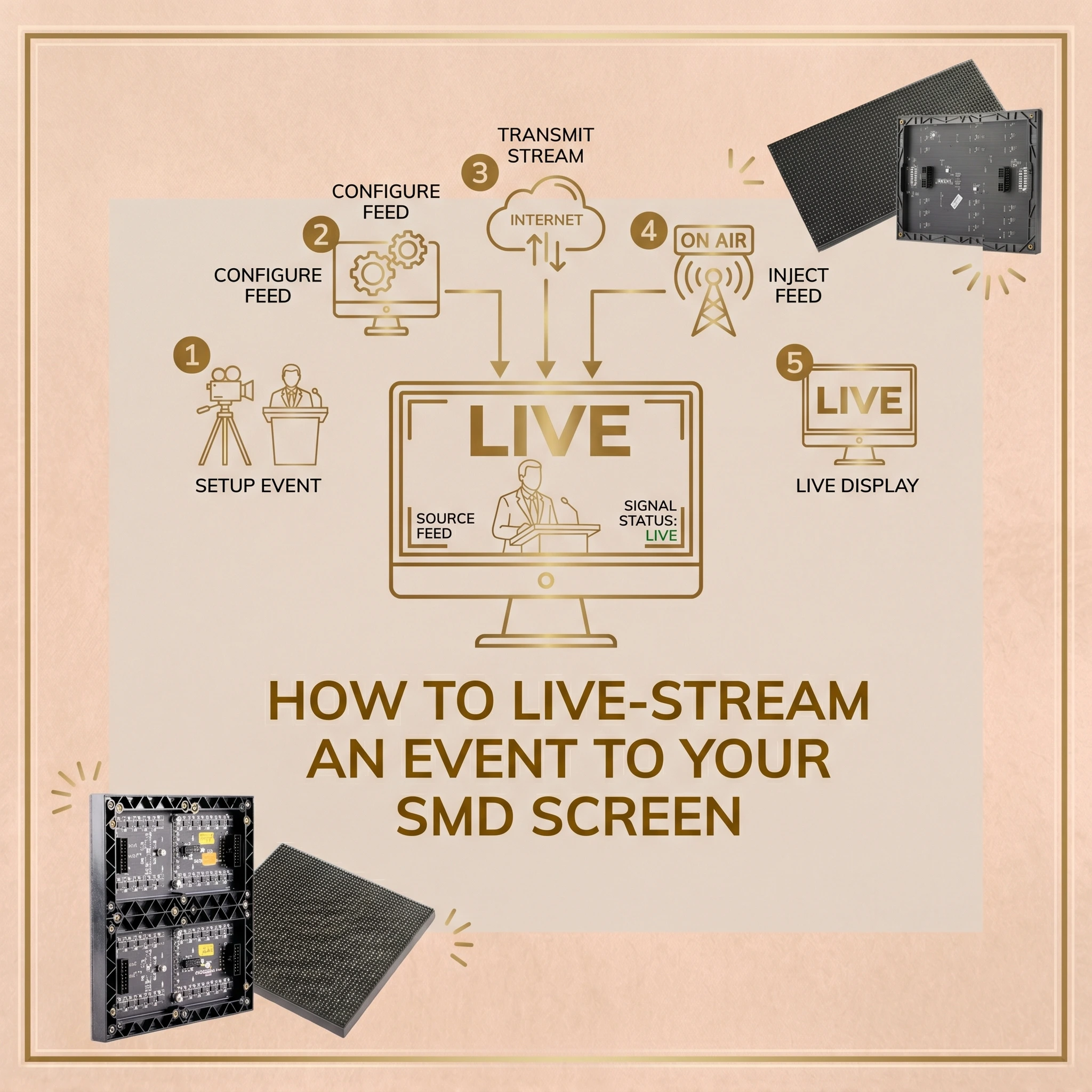
At events in Pakistan, from corporate summits in Lahore to e-sports tournaments in Karachi and weddings in Islamabad, not everyone can see the stage clearly. Showing the live action on a large screen gives more of the audience a good view. This guide explains how to live-stream to your SMD LED Screen.
A live feed on a large LED screen can make an event more engaging, but a reliable setup takes more than plugging in a camera. To avoid noticeable delay, poor audio sync or signal drop-outs, it helps to understand the hardware and software involved.
Below we cover signal flow, cameras, switchers, software, latency, display choice, remote feeds, video processors and safety.
The video signal travels from the camera through one or more devices before reaching the screen. Each link affects quality and delay.
There are two common approaches:
Choose the simplest chain that delivers what your event needs.
A large screen magnifies flaws, so start with a good source image. For professional events, video cameras, mirrorless cameras with clean video output, or PTZ (pan-tilt-zoom) cameras give better control of zoom, focus and exposure than webcams. Smartphones can work for small, simple setups but offer less control and fewer professional outputs.
Stage lighting changes quickly, so set exposure carefully and test with the actual lighting before the event.
Cameras usually output video over HDMI or SDI. What the output contains (resolution, frame rate, compression) depends on the camera. HDMI cables are best kept short; SDI or fibre extenders are commonly used for longer runs between camera positions and the control area.
If you use a computer for production, a capture device brings HDMI or SDI signals into it. Capture devices add a small amount of delay. For several cameras, you can use a multi-input capture card in a suitable computer, or multiple external capture devices, depending on your software and computer.
Many organisers use hardware switchers instead, such as the Blackmagic ATEM series, which let an operator cut between several cameras. A hardware switcher can feed the LED video processor directly, without a computer in the chain, and usually gives smooth transitions with low delay.
When you need graphics, overlays or mixing, live production software helps. Media players such as VLC are designed for playing files and streams, and are not intended for live multi-camera production.
Widely used options include OBS Studio and vMix. They let you build scenes, for example a picture-in-picture of a speaker over their presentation slides.
They can also add lower-third graphics, moderated social media tickers and replays. Test your scenes and the computer’s performance well before the event, and have a backup plan if the computer fails.
Latency is the delay between something happening on stage and it appearing on the screen. Every device in the chain adds some delay; it cannot be eliminated entirely, but it can be kept low.
At a concert, if the screen shows the drummer noticeably after the sound is heard, the mismatch is distracting.
To keep delay low: use as few processing steps as possible; prefer wired connections (SDI, HDMI over short runs, or fibre) where practical, since many wireless video links add delay, although some are designed for low latency; avoid unnecessary scaling and frame-rate conversion; and use any low-latency mode your video processor offers. Measure the end-to-end delay during rehearsal and, where needed, ask the audio team to align sound accordingly.
The display must suit the venue. Consider indoor or outdoor use, viewing distance, brightness and size.
For indoor venues such as auditoriums and banquet halls, a fine-pitch indoor screen gives clear images at shorter viewing distances. One option is the BIA Indoor SMD LED Screen Module.
For quiet events such as speeches, ask about the noise level of the screen’s cooling and power supplies, and position control equipment away from the audience.
For outdoor events, such as a cricket screening in a park, indoor screens are not suitable: they are not weatherproof and are not bright enough for daylight. Use outdoor-rated screens such as the BIA Outdoor SMD LED Screen Module.
Outdoor-rated modules help the image stay visible in daylight and protect against rain within their rating, but an outdoor event also needs safe power, rigging and weather plans (see the FAQ below).
For premium indoor events such as fashion shows or high-profile addresses, a fine-pitch, high-resolution wall such as the BIA HDR 4K LED Video Wall is another option to discuss.
A high-resolution source on a high-resolution wall can look excellent, provided every device in the chain supports it.
When the camera is in the same venue as the screen, local cables carry the signal. If you need a remote feed, for example a speaker joining from abroad, you depend on internet connections.
A single consumer Wi-Fi connection is risky for an important feed. Use a wired connection where possible and plan for failure.
Professionals often use bonding devices that combine several connections, such as a wired line plus mobile data from different networks, so that if one connection drops, others can continue. Bonding improves resilience but cannot guarantee a feed: if all networks in an area are affected, the feed can still fail, and internet feeds always add some delay. Agree a fallback with the remote speaker, such as a pre-recorded version or audio-only link, and have holding graphics ready on the screen.
Live feeds on LED screens are useful for many kinds of events in Pakistan.
Corporate Summits: Large conferences can place additional screens further back in the hall so people at the back can see the keynote speakers.
Weddings: Large weddings with many guests can show key moments, such as the entrance, on screens around the venue, with the families’ consent.
Sports and Entertainment: Restaurants and community venues show cricket matches on large screens. Showing broadcast content publicly requires the appropriate rights or licence from the rights holder.
To explore display options for your event, browse the Products at SMD LED Screen catalogue.
The LED video processor (or sending device) takes your video input and drives the screen. It is a key part of any setup.
LED walls are often not 16:9; they may be wide banners or tall columns. Cameras usually output 16:9 video, so the processor must map the input onto the wall’s actual pixel dimensions.
When the shapes do not match, you must choose a trade-off: fit the whole image with black bars, fill the wall by cropping part of the image, or stretch it (which distorts people and should usually be avoided). Plan your camera framing and graphics for the wall’s shape. Many processors can also switch between inputs, for example from the live camera to a sponsor video during breaks.
A live feed involves many parts. A faulty cable, a network setting or an overloaded computer can cause problems, so rehearsals and backups matter.
For larger events, work with experienced technical teams. SMD LED Screen Pakistan supplies LED screens and can discuss suitable display and processing options for your event. Ask us what our scope covers.
You can follow our updates on our Official Facebook Page.
A well-planned live feed on an SMD LED screen can greatly improve an event:
With careful planning, rehearsal and backups, a live feed can become a reliable highlight of your events.
Planning an event with a live feed on a large screen? Contact us to discuss the venue, screen and signal chain, and to request a written quotation.
1. What is the most important hardware needed to live-stream to your SMD LED Screen?
Every link matters, but the LED video processor is central: it maps the camera’s video onto the screen’s actual pixel dimensions. You will also need a suitable camera and cabling, and a switcher or production computer if you use several cameras or graphics.
2. How do I reduce lag when I live-stream to your SMD LED Screen?
Keep the signal chain short, prefer wired links (SDI, short HDMI or fibre), avoid unnecessary scaling and conversion, and use the processor’s low-latency mode if available. Some delay always remains, so measure it in rehearsal and align audio if needed.
3. Can I use a smartphone to live-stream to your SMD LED Screen?
For small, informal setups it can work, but smartphones offer limited zoom and exposure control and lack professional outputs such as SDI. For professional events, a dedicated video or PTZ camera is a better choice.
4. What software can I use when I live-stream to your SMD LED Screen?
OBS Studio and vMix are widely used for mixing cameras and adding graphics. If you only need to switch between cameras, a hardware switcher feeding the video processor may be simpler.
5. Is it safe to run an LED screen outdoors during a rainy concert?
An IP65-rated outdoor module protects the module itself against rain within its rating, but that alone does not make an event safe. The whole system matters: power distribution and connections must be weatherproof, protected and installed by qualified electricians; rigging or ground support must be designed for wind and checked by competent riggers or engineers; and there must be a plan to lower or switch off screens in high winds, lightning or flooding, following the manufacturer’s limits and the event’s safety plan. If in doubt, stop the event and isolate the power.
A practical overview of common software used to configure and manage content on SMD LED screens, including NovaStar, Colorlight, Huidu…

Large public gatherings, including political rallies, often use LED screens so people far from the stage can see speakers. This…

Mobile SMD screens mounted on vans, trucks and trailers let advertisers take moving digital content to different locations. This guide…