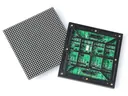
 Outdoor SMD Screens
 Indoor SMD Screens
 Flexible SMD Screens

How to Choose the Right Control System (NovaStar vs. Linsn)
If your SMD LED display is the body, the control system is the brain. Choosing the wrong control system can…

Many organisations in Pakistan invest carefully in LED screen hardware but give less thought to the software that controls it. The panels are the canvas; the SMD screen software determines how easily you can configure the screen, schedule content and keep it running.
Choosing suitable SMD screen software is an important operational decision. Good software makes scheduling and updates straightforward and helps you spot problems early. Poorly chosen or poorly configured software can lead to blank screens, distorted images and wasted time.
This guide reviews five commonly used options, explains what each is for, and covers how to match software to your hardware and keep it secure. One key point first: LED control software is usually tied to the brand of controller (sending card, receiving card or multimedia player) in your screen, so the right choice often depends on the hardware you already have. Features, versions and licensing change over time, so check the manufacturer’s current documentation.
For a single small screen, playing files from a USB drive may be enough. For commercial use, dedicated software offers much more control.
Content software lets you schedule different content by time of day (dayparting), for example a breakfast promotion in the morning, a lunch offer at noon and brand content in the evening, without someone changing files manually.
Many systems also offer remote status information. Depending on the hardware and any monitoring add-ons fitted, this can include whether the screen is online, playback status and, with suitable sensors or monitoring cards, readings such as temperature. These features help catch problems earlier but cannot eliminate downtime.
NovaStar control systems are widely used, and their software is commonly found on screens in Pakistan.
NovaLCT is mainly a configuration tool used by technicians: setting up receiving cards, screen mapping, brightness settings and, with suitable equipment, calibration. ViPlex applications (such as ViPlex Express and ViPlex Handy) are used to create and publish content and schedules to NovaStar multimedia players, such as the Taurus series, in asynchronous setups.
Configuration work in NovaLCT can affect how the whole screen behaves, so it is best left to trained technicians, while day-to-day content updates can usually be handled in ViPlex by trained staff.
Colorlight is another major control system manufacturer. Its LEDVision software is used to configure Colorlight sending and receiving cards and to set up screen layouts, including irregular or multi-section screens, with playback handled through Colorlight players or a connected computer.
For live events and broadcast work, performance depends on the whole signal chain: video processor, sending cards, cabling and settings, not just the software. Latency is always present to some degree, so test the full setup during rehearsal.
Huidu controllers are common on smaller screens, such as shop fronts and simple signs. HDPlayer is the software used to create programs for Huidu controllers.
Its interface is generally considered approachable: users can add videos, images and scrolling text to a program and send it to the controller, for example over Wi-Fi or a network connection, depending on the controller model. Some Huidu systems also support cloud management for multiple screens; check what your controller supports.
Linsn is a long-established control system brand, and its LEDStudio software has been used on many screens over the years, particularly in synchronous setups where the screen mirrors a connected computer.
Its interface looks more traditional than newer tools. Stability depends on the whole system: computer, controller, cabling, power and configuration. Plan for regular maintenance and occasional restarts, as with any computer-based system. For a comparison of two common control brands, see our guide to NovaStar vs Linsn control systems.
Cloud platforms let authorised users manage screens through a web browser. Examples include control-system vendors’ own cloud services (NovaStar’s cloud tools, including NovaiCare for monitoring and maintenance) and third-party digital signage CMS platforms such as ScreenCloud.
The main advantage is remote access: a marketing team in Karachi can schedule content for a screen in Islamabad without a site visit. Third-party CMS platforms usually run on a compatible media player that outputs video to the LED controller, rather than talking to receiving cards directly, so check hardware compatibility first. Remote monitoring depends on what the hardware reports; some faults still need on-site checks.
Software works best with well-made, correctly configured hardware. Before choosing a screen, ask which controller it uses and which software comes with it.
For close-viewing indoor spaces, the BIA Indoor SMD Screen Module is one option to consider.
For outdoor sites, the BIA Outdoor SMD Screen Module is designed for outdoor use.
For control rooms and boardrooms needing high resolution, consider the BIA HDR 4K LED Video Wall.
Any networked screen can be a security risk if poorly managed. Unauthorised access could let someone display inappropriate content on a public screen. No software can guarantee complete protection, but good practice greatly reduces the risk:
At SMD LED, ask us what training and support are available for the software that comes with your screen. You can follow our updates on our Official Facebook Page.
Good SMD screen software, matched to your hardware and well managed, can provide:
Consider your hardware, your team’s skills and how many screens you manage, and choose software that fits.
Explore our Products and contact us to discuss which controller and software suit your project.
1. What is SMD screen software used for?
Two main jobs: configuration (setting up controllers, mapping and brightness) and content management (creating, scheduling and publishing content). Some products do both; others focus on one.
2. Which software is easiest for a beginner?
It depends on your controller. For screens with Huidu controllers, HDPlayer is often considered approachable; for NovaStar players, ViPlex is the usual content tool. Basic training helps with any system.
3. Can I manage screens in different cities?
Yes, with cloud-capable controllers or players and a reliable internet connection at each site. Check that your hardware supports the cloud platform you want to use.
4. Is screen software secure against hacking?
No system can guarantee complete security. Strong passwords, user roles, network separation, encrypted connections and regular updates reduce the risk significantly.
5. Do I need new software if I expand my video wall?
Usually not, if you stay with the same controller brand, but the screen will need reconfiguring for the new size, and you may need additional controller capacity. Check with your supplier.
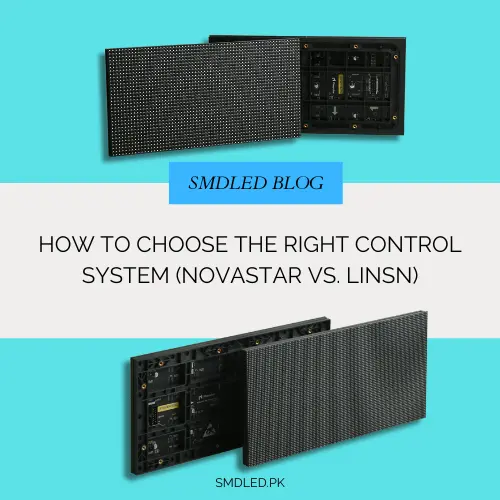
If your SMD LED display is the body, the control system is the brain. Choosing the wrong control system can…
Pixel pitch is often misunderstood. Learn what it really means, how it relates to resolution, viewing distance, indoor vs outdoor…

A video wall is a major investment, so the supplier matters as much as the screen. We list some SMD…