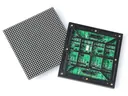
 Outdoor SMD Screens
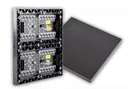 Indoor SMD Screens
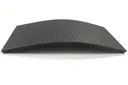 Flexible SMD Screens

SMD Screens in Outdoor Advertising: Bright and Vibrant Displays
Outdoor SMD LED screens are popular for advertising because they can be bright enough for daylight and can show changing…

Pixel density is one of the most important specifications of an SMD (Surface Mount Device) LED screen. It affects how much detail the screen can show and how close viewers can stand before they see individual pixels. This article explains what pixel density means for LED screens, how it relates to pixel pitch, screen size and resolution, and how to choose the right density for your project.
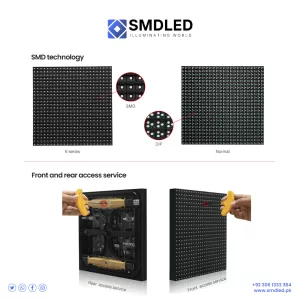
Pixel density is the number of pixels in a given area of the screen. For LED screens it is usually expressed as pixels per square metre, and it is determined by the pixel pitch: the distance in millimetres between the centres of neighbouring pixels.
The relationship is simple: pixels per square metre = (1,000 ÷ pitch in mm)². For example:
A smaller pitch means higher density, which shows more detail and lets viewers stand closer without seeing individual pixels. This matters most for screens viewed up close, such as indoor displays and video walls.
The term “PPI” (pixels per inch) is usually used for phones, monitors and TVs, which have far higher densities than modular LED screens. LED screens are normally described by pitch instead. “DPI” (dots per inch) is a printing term and is not a standard LED screen specification.
Density is only part of image quality. Brightness, contrast, colour calibration, grayscale performance and refresh rate also matter.
Pixel density, together with screen size, determines the screen’s native resolution: width (mm) ÷ pitch = pixels across, and height (mm) ÷ pitch = pixels down.
This makes it important to be clear about what you are comparing:
In short, higher density gives a sharper image at close range, while lower density can look fine when viewers are further away.
Choosing a density that suits your viewing distance and content brings real benefits.
Density alone does not guarantee good colour, contrast or reliability; those depend on the LEDs, driver ICs, calibration and build quality.
Consider the Viewing Distance: The closer the audience, the finer the pitch (higher density) you need. Indoor screens viewed from a few metres often use a pitch of around 3 mm or finer. Large outdoor screens viewed from far away often use 10 mm or coarser. These are starting points; see our guide to pixel pitch for more.
Assess the Content: Small text and detailed images need more pixels than simple graphics or large text. Check that the screen’s native resolution is enough for your content, and prepare content at that resolution.
Balance Cost: Choose the coarsest pitch that still looks good for your closest typical viewers and your content.
Q: What is pixel density in SMD screens?
A: It is the number of pixels in a given area of the screen. For LED screens it is usually given as pixels per square metre, and is set by the pixel pitch.
Q: How is pixel density measured?
A: For modular LED screens, by pixel pitch (in mm) or pixels per square metre. PPI (pixels per inch) is mainly used for phones, monitors and TVs.
Q: Why is pixel density important?
A: It determines how much detail can be shown and how close viewers can stand before seeing individual pixels.
Q: How does pixel density affect image quality?
A: At a given viewing distance, higher density makes pixels less visible and allows finer detail. Colour accuracy and contrast depend on other factors such as LEDs, calibration and surface treatment, not on density alone.
Q: What are the benefits of higher pixel density?
A: Viewers can stand closer, and smaller text and finer detail can be shown. This suits indoor screens, control rooms and studios.
Q: Are there trade-offs with high pixel density?
A: Higher density usually costs more per square metre, and the content and processing must support the higher resolution. Power consumption depends on the product and brightness, so compare datasheet figures.
Q: How does pixel density differ between LED and other display technologies?
A: LCD and OLED panels in phones, monitors and TVs have much higher densities than modular LED screens because they are viewed very close. They are different technologies from SMD LED screens; this article is about modular LED screens.
Q: Is there an optimal pixel density for all applications?
A: No. It depends on viewing distance, content and budget. Close-viewing indoor screens need finer pitches; distant outdoor screens can use coarser ones.
Q: How can one determine the appropriate pixel density for their application?
A: Consider the closest typical viewing distance, the content, the screen size and resulting native resolution, and your budget. A supplier can help you compare options.
Q: Are there future developments in pixel density?
A: Yes. LED packaging continues to allow finer pitches, including COB and micro LED products, making high-density LED screens more common.
Pixel density in LED screens is set by the pixel pitch, and together with screen size it determines the native resolution. Choose a density that suits your viewing distance and content: fine enough that your audience does not see individual pixels, but not finer than you need. Remember that brightness, contrast, calibration and build quality also shape the final image.
Choosing a screen? Start with pixel pitch explained, compare indoor and outdoor screens, or browse our SMD screen products.
Contact Us For Free Consultation at 0306-1333384
Powered By BIA Communications
Outdoor SMD LED screens are popular for advertising because they can be bright enough for daylight and can show changing…

Where do SMD LED screens fit in vehicles? Dashboard and infotainment displays in cars are usually automotive-grade LCD or OLED…
How SMD screens can be used in retail for promotions, window displays and product content, what extra systems interaction and…