 Outdoor SMD Screens
 Indoor SMD Screens
 Flexible SMD Screens

Common Misconceptions About Pixel Pitch (And the Truth)
Pixel pitch is often misunderstood. Learn what it really means, how it relates to resolution, viewing distance, indoor vs outdoor…
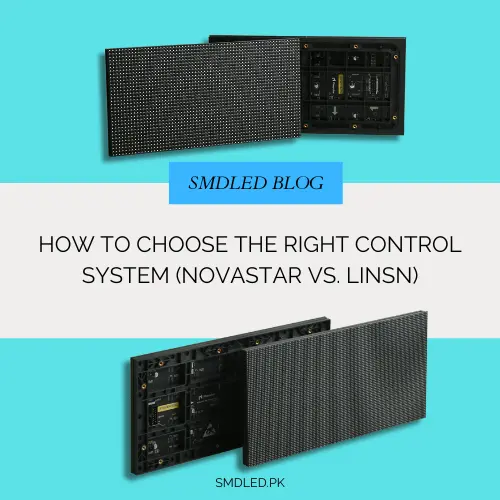
When investing in digital displays, buyers often focus mostly on pixel pitch, screen size and brightness. Those matter, but much of what makes a display work well happens behind the scenes. The part that takes video from your computer or player and turns it into an image on your LED wall is the control system.
An LED control system is like the nervous system of your display. It maps the signal to the cabinets, handles brightness and colour settings, affects refresh rate and grey-scale performance, and influences how smooth your content looks. For buyers of SMD screens in Pakistan, two control system brands you will hear about often are NovaStar and Linsn.
Both brands are widely used, but their product ranges suit different needs and budgets. Understanding how each control system works helps you get the setup right from the start. In this guide we compare the two so you can choose the right control system for your requirements.
An LED display does not work like a television; you cannot plug an HDMI cable directly into an LED cabinet and expect a picture.
A control system converts the video signal, maps it to the screen layout and distributes it across the cabinets. A typical control system has three main parts:
An important compatibility point: the link between sending and receiving devices uses each manufacturer’s own protocol, so in general a NovaStar sender must be paired with NovaStar receiving cards, and a Linsn sender with Linsn receiving cards. This is separate from video inputs: standard sources and many third-party video processors can feed either brand through HDMI, DVI or SDI. Even within one brand, not every sender, receiving card, firmware version and LED module driver chip is compatible, so always check the supported combinations with your supplier or the manufacturer.
Now let us look at the two brands.
NovaStar is one of the most widely used LED control system brands and has a broad range, from basic controllers to high-end processors used in professional installations.
NovaStar systems are common in demanding applications such as large event screens, broadcast sets and fine-pitch indoor screens, including installations using modules like the BIA Indoor SMD Screen Module, depending on the configuration supplied.
NovaStar’s higher-end products suit demanding environments where image quality, calibration and redundancy are priorities. For a high-resolution product such as the BIA HDR 4K LED Video Wall, check which control system and processor the product is designed and supplied with, as features such as HDR and high refresh rates depend on that combination.
Linsn Technology is one of the longer-established names in LED control and has been widely used for many years.
Linsn’s software interface is more traditional, but many users value its straightforward approach for standard screens.
Linsn can be a good fit for standard outdoor advertising screens. For a large, standard-resolution display using modules such as the BIA Outdoor SMD Screen Module, advanced processing may not be needed, and a simpler control system may give acceptable results at lower cost, provided it is compatible with the modules used.
To decide, match your project goals to the capabilities of each control system. Here are four key factors.
Higher-end NovaStar configurations usually cost more than basic Linsn setups, although both brands have products at different price levels. Prices change over time and between suppliers, so ask for dated quotes for comparable configurations (same resolution, inputs and features). For a simple storefront sign, premium features may add little value; for a high-end installation, they may be worth paying for.
Linsn’s LEDStudio is functional and familiar to many installers, though its interface is older in style. NovaStar’s NovaLCT and VMP offer more advanced features, including visual mapping tools that can make configuring large or complex screens easier. Many users find NovaStar’s software more capable for complex setups.
Both brands are widely used and generally reliable when installed and configured correctly. Some NovaStar products support redundancy options, such as backup data paths and dual power for certain components, which can reduce the impact of a cable or component failure. How switchover behaves depends on the products and configuration, so test it during commissioning. For critical displays such as newsrooms or flight information, redundancy is worth discussing with your supplier whichever brand you choose.
For advanced projects, such as high frame rate content, HDR or very high pixel counts on fine-pitch SMD LED products, NovaStar’s higher-end range is often chosen. Check the specific processor’s supported inputs, resolutions and frame rates against your requirements.
These steps can help you choose a control system before buying hardware.
Step 1: Determine Your Resolution, Not Just Your Size Control systems are sized by pixels, not metres. A 10-metre-wide P10 outdoor screen has far fewer pixels than a 3-metre-wide P1.5 indoor screen. Calculate the total pixel count and check that the controller’s capacity covers it. Higher pixel counts need higher-capacity controllers or processors.
Step 2: Decide on Synchronous vs. Asynchronous Synchronous control mirrors a computer or live source; both brands offer this. Asynchronous control lets the screen play stored content without a PC attached. NovaStar’s Taurus players are a popular asynchronous option with cloud management; check what each brand offers for your needs.
Step 3: Evaluate Your Maintenance Capacity If the screen is hard to access, such as high on a building, redundancy options and remote monitoring can be worth the extra cost. For easily accessible screens, standard hardware may be enough.
Step 4: Check Compatibility with Your Cabinets Cabinets often come fitted with a particular brand of receiving card. Confirm that the sender or processor you want is compatible with the receiving cards, firmware and LED driver chips in the cabinets you are buying.
Step 5: Plan Software and Firmware Updates Carefully Only update firmware with versions approved by the manufacturer or your supplier for your exact hardware. Back up the current configuration files first, make sure you know how to roll back, and have updates carried out by a trained installer. Interrupted or incorrect firmware updates can stop cabinets working.
Your display is a significant investment. After choosing the right LEDs, pixel pitch and location, give the same care to the control system.
Whether you choose NovaStar for advanced features and high resolutions, or Linsn for cost-effective standard screens, the key is matching the system to your use case and confirming compatibility. Evaluating resolution, budget and operating needs gives you the best chance of a display that looks good and runs reliably.
An LED control system is the combination of hardware (sending cards or video processors, and receiving cards) and software that takes a video signal, maps it to the screen and drives the LED modules to show the image.
Neither is universally better; it depends on your project. NovaStar is often chosen for high-resolution or complex setups that need advanced calibration and redundancy. Linsn is a common cost-effective choice for standard screens. Check compatibility with your cabinets in either case.
Not on the sender-to-receiver link: each brand uses its own protocol, so a NovaStar sender needs NovaStar receiving cards, and Linsn needs Linsn. Video sources and many third-party processors can feed either brand through standard inputs such as HDMI. Within one brand, check that the specific models and firmware versions are compatible.
A synchronous control system shows content live from a connected computer or video source. An asynchronous control system stores media on a player and plays it without needing a constant PC connection.
Updates are done through the manufacturer’s software (such as NovaLCT for NovaStar or LEDStudio for Linsn). Use only firmware versions approved for your exact hardware, back up the configuration first, know how to roll back, and have a trained installer carry out the update.
At SMD LED we supply indoor and outdoor screens for projects across Pakistan and can help you choose a compatible control system for your display.
Browse our displays on the main SMD LED website, or contact our team via our Contact Us page for a quote. You can also follow us on Facebook for updates.

Pixel pitch is often misunderstood. Learn what it really means, how it relates to resolution, viewing distance, indoor vs outdoor…
Understanding Viewing Angles and Viewing Distance for SMD Screens Even a high-quality LED display can disappoint if it is installed…

Flexible SMD Screens: The Future of Creative Advertising? Digital advertising is no longer limited to flat, rectangular displays. One of…