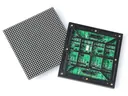
 Outdoor SMD Screens
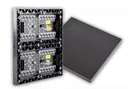 Indoor SMD Screens
 Flexible SMD Screens

How Restaurants in Pakistan are Using SMD Screens to Increase Sales
Pakistan's food scene is crowded and competitive. This guide looks at how restaurants can use a restaurant SMD screen for…

Students today are used to high-quality video on phones, tablets and laptops. In many lecture halls, though, they still look at a projected image that can be hard to see when the lights are on. To improve visibility and communication, more institutes in Pakistan are considering an educational SMD screen for auditoriums, large classrooms and campus grounds.
Projectors still have a place: they are affordable, portable and work well in rooms where lighting can be controlled. Their limits show in bright rooms, where images can look washed out, and over time as lamp-based models dim and need lamp replacements. Laser projectors and large flat-panel displays reduce some of these issues, so it is worth comparing all the options for each space.
An SMD LED screen produces its own light rather than projecting onto a surface, so with the right brightness setting it can stay readable with the room lights on. If your institution is evaluating SMD screens in Pakistan, this guide covers where they help, which specifications matter and what costs to plan for.
Because an LED screen emits its own light, it usually remains readable in lit rooms, so lights do not need to be switched off to show a video and students can still take notes. Text size, viewing distance and pixel pitch still decide whether students at the back can read the content comfortably, so plan these together.
Many lessons benefit from video, diagrams, animations and data visualisations. A large, bright screen makes this content easier for everyone in the room to see, such as a 3D model in biology or archive footage in history. Engagement and learning outcomes depend mainly on teaching and content, though; a screen supports good teaching rather than replacing it.
Through a video processor or media player, an LED screen can show input from laptops, document cameras and, with a suitable wireless presentation system, tablets or phones. Some setups can show several sources side by side. Touch interaction is not built into LED video walls, so interactive teaching usually relies on a separate touch panel or software on the presenter’s device. Browse our SMD LED products to see the options.
Auditoriums host convocations, guest lectures and performances. Large projected images can struggle on big stages, especially with stage lighting. A seamless LED wall as the stage backdrop can show slides, videos and live camera feeds at a large size. For high-profile venues, a fine-pitch system like the BIA HDR 4K LED Video Wall is one option to consider. If events are filmed or streamed, test the screen with the cameras in advance.
An outdoor screen at the main gate can welcome visitors, announce admission dates and share campus news and achievements. Outdoor screens need outdoor-rated hardware such as the BIA Outdoor SMD Screen Module. An IP65 rating means the front is dust-tight and protected against low-pressure water jets, which suits rain; it does not mean the screen can be submerged. The structure should be designed by a qualified structural engineer and the power supply installed by a qualified electrician, and local authority approval may be needed.
Common areas are good places to share announcements. Instead of many printed flyers, the administration can loop digital notices, menus, campus news and safety messages. An indoor display such as the BIA Indoor SMD Screen Module can serve this role. Emergency alerts should complement, not replace, the campus’s official alarm and public address systems.
In labs, a camera pointed at a demonstration bench can feed a large screen, so students can see details without crowding around one table. How much detail is visible depends on the camera, lighting and screen pitch. Screens are for teaching and viewing only, not for clinical or diagnostic use.
In gyms and stadiums, an LED screen can work as a scoreboard and also show team introductions, replays (with suitable production equipment) and sponsor messages. Screens in sports halls need protection from ball impact, and outdoor screens need outdoor-rated hardware and engineered structures.
The upfront cost of an LED screen is usually higher than a projector. Whether it is the better value over five to ten years depends on the room, how many hours it runs and what it replaces. A fair comparison looks at the full lifecycle.
Lamp-based projectors need replacement lamps and filter cleaning, and they dim with age. LED screens have no lamps, and LED life ratings are long, but real service life depends on brightness settings, heat, dust, power quality and use. LED screens still need maintenance: periodic cleaning (with the screen powered off), checks on power supplies and cards, and occasional module replacement. Keep same-batch spare modules and agree a maintenance plan with your supplier.
Power use depends on screen size, brightness and content. A large LED wall can use more power than a projector, while indoor screens run at modest brightness can be efficient. Ask the supplier for typical and maximum power figures, estimate the units used per day, and multiply by the per-unit rate on your own bill.
Digital notices can reduce printing of posters, banners and flyers. Updates are quick, but they are not free: someone has to create and manage content, and content management software may have subscription costs. Include these in the comparison.
Facilities are one of the things visiting students and parents notice. Well-planned screens in key spaces can help present a modern campus and keep visitors informed. They are one factor among many, though; teaching quality, faculty and outcomes matter far more to most families.
The most important specification is the pixel pitch (the distance between pixel centres), chosen from the viewing distance and the smallest text you need to show. Typical starting points:
Ask for datasheets, a viewing-distance plan and a written quotation that covers the screen, controller, structure, electrical work, installation and warranty.
Digital displays are becoming a normal part of campus life. An educational SMD screen can improve visibility in large and bright spaces, make communication across campus easier and give auditoriums a strong focal point. The best results come from choosing the right display for each space, planning for running and maintenance costs, and installing it safely.
An SMD LED screen produces its own light, so it usually stays readable with the room lights on, and it has no lamps to replace. Projectors cost less upfront and suit rooms where lighting can be controlled. Compare both for each space, including running and maintenance costs.
Yes, if it is outdoor-rated. IP65 means dust-tight and protected against low-pressure water jets, which suits rain but not submersion. Outdoor screens need an engineered structure, safe electrical installation and, where required, local authority approval.
It can make visual content easier for everyone in the room to see, which supports good teaching. Learning outcomes depend mainly on teaching and content, so treat the screen as a tool rather than a guarantee.
With a well-designed setup it works much like a large monitor: teachers connect a laptop by cable or through a wireless presentation system. Short training and a simple control panel help.
Service life depends on the model, brightness settings, heat, dust, power quality and maintenance. Check the manufacturer’s rated LED life and the warranty, and plan for periodic maintenance and spare modules.
SMD LED supplies indoor, outdoor and fine-pitch displays, including our own BIA range and brands such as Unilumin, Absen and LianTronics. Whether you need a fine-pitch display for a lecture theatre or an outdoor screen for a sports ground, tell us the space, viewing distance and use, and we can suggest suitable options.
Explore the main SMD LED website or reach us through our Contact Us page for an itemised quotation.

Pakistan's food scene is crowded and competitive. This guide looks at how restaurants can use a restaurant SMD screen for…

LED screens are increasingly used at Pakistani weddings for backdrops, live camera feeds, love-story videos and welcome signage. Here are…
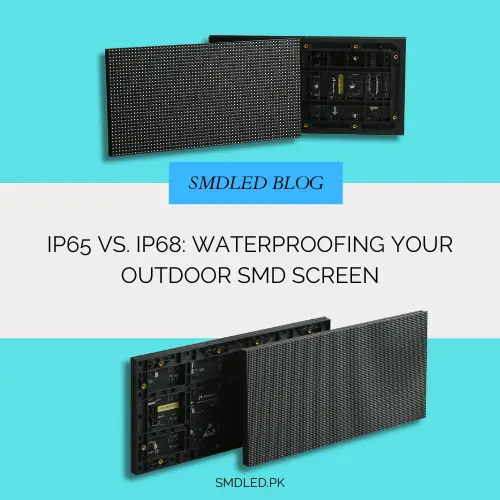
Outdoor screens in Pakistan face heat, dust and monsoon rain, so the IP rating matters. This guide explains what IP65…