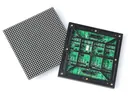
 Outdoor SMD Screens
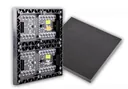 Indoor SMD Screens
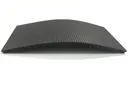 Flexible SMD Screens
Every LED screen needs a control system: a sending device or video processor that takes your video input and sends it to receiving cards inside each cabinet. The right controller decides inputs, scaling and how the screen is managed.
Typical components
| Component | What it does |
|---|---|
| Sending device | takes HDMI, DVI, SDI or network input and sends data to the screen |
| Video processor | scales and switches several sources, often with picture-in-picture |
| Receiving cards | one per cabinet or group of modules, matched to the sender |
| Players | asynchronous players play scheduled content without a PC |
| Software | for setup, calibration and content scheduling |
The exact capabilities depend on the model we quote.
Where it is needed
- new screens
- upgrading an older screen’s inputs
- multi-source walls in control rooms and events
- remote content management
What to check before you buy
- Sender and receiving cards must be compatible
- Total pixel count the controller can drive
- Inputs you need: HDMI, SDI, network, USB
- Whether content will be live (synchronous) or scheduled (asynchronous)
Frequently asked questions
Can you upgrade the controller on my existing screen?
Often yes, if new receiving cards are compatible with your modules. Send us photos of your current cards and module labels.
Which controller brands do you work with?
We work with common LED control systems, including NovaStar. We confirm compatibility with your screen before quoting.
Related: NovaStar vs Linsn guide · Live streaming to your screen · Spare parts
Get a quote
Model availability changes, so we confirm the exact model, datasheet and delivery time with every quote. Call 0306-1333384 or ask for a free quote.