 Outdoor SMD Screens
 Indoor SMD Screens
 Flexible SMD Screens

The Science of “Grayscale” in SMD LED Screens
Grayscale describes how many brightness steps an LED screen can produce per colour. This guide explains bit depth, the difference…
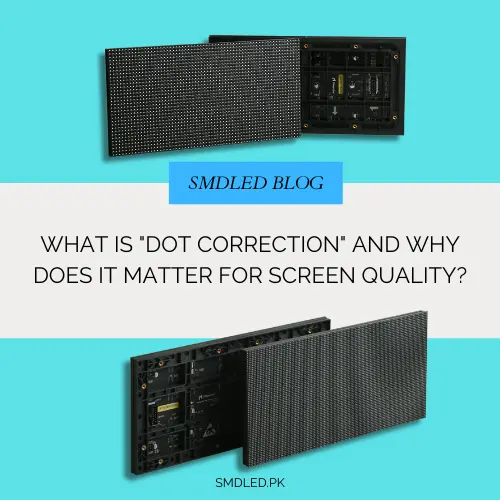
When buying SMD screens, you will see specifications such as pixel pitch, refresh rate and grey scale. Another factor that strongly affects image quality is uniformity: whether a plain colour looks even across the whole screen, or blotchy and patchy, sometimes called the “dirty window” or mura effect.
The main technique for improving uniformity is dot correction (also called pixel-level or point-by-point calibration). This guide explains why LED screens need it, how it works, what it can and cannot do, and what to ask suppliers.
LEDs are made in large batches, and small manufacturing variations mean no two are exactly alike. They differ in:
Manufacturers sort LEDs into groups with similar characteristics (“binning”) for SMD LED products, but binning has tolerances. Across thousands or millions of LEDs, the remaining differences can show up as a grainy, cloudy or patchy look, especially on plain backgrounds. This is a uniformity problem, which is different from pixelation (seeing individual pixels because you are too close for the pitch).
LEDs also age at different rates depending on heat and use, and modules from different batches can look different, so uniformity can drift over time.
Dot correction is a calibration process that measures each pixel and stores correction values so the control system adjusts how strongly each LED is driven. It does not change the LEDs themselves or their physical wavelength; it changes the drive signals so that the light each pixel produces, and how the red, green and blue are mixed, comes closer to a common target.
Think of an orchestra: a conductor cannot change the instruments, but can ask louder players to play softer so the whole sounds balanced. Dot correction does something similar for pixels.
Whether a screen supports dot correction, and to what level, depends on its driver ICs, receiving cards and control system. Ask your supplier for the specific capabilities of the model you are considering; for example, ask us about calibration options for the BIA Indoor SMD Screen Module.
A calibrated camera or measurement system captures the screen in controlled lighting while it shows test patterns, typically red, green, blue and white. The software builds a map of each pixel’s measured brightness and, for colour correction, its colour.
The software chooses target values for the screen. Because a pixel cannot be driven brighter than its maximum, the target is usually set at or below what most pixels can reach; the exact choice is a trade-off between uniformity and peak brightness, and calibration systems may exclude outliers.
As a simplified, brightness-only illustration: correction factor for a pixel = target brightness ÷ measured brightness of that pixel. A pixel measured slightly brighter than the target gets a factor below 1, so it is driven a little less. Real colour calibration is more complex: it typically uses a set of coefficients per pixel that mix the red, green and blue drive levels to match target colour coordinates, not a single number.
The correction values are stored in the receiving cards or modules and applied to the video signal as it is displayed. Any added processing delay is typically very small, but overall system latency also depends on the video processor and other equipment.
| Feature | Brightness Correction | Colour (Chroma) Correction |
| Primary goal | More even light output across the screen. | More consistent colour across the screen. |
| Visual result | Reduces patchy or cloudy areas. | Reduces colour shifts, helping whites and brand colours look consistent. |
| How | Adjusts each colour channel’s drive level. | Mixes red, green and blue drive levels per pixel to match target colours. |
| Typical use | Common on quality indoor and outdoor screens. | Often used for high-end, broadcast and virtual production screens. |
For outdoor advertising viewed from a distance, brightness correction is often sufficient. For fine-pitch indoor walls viewed up close or on camera, such as the BIA HDR 4K LED Video Wall, colour correction can make a visible difference; ask what level of calibration is included.
Cameras can make uneven areas on a screen more noticeable. Good calibration helps a studio wall look like an even background on air.
Large areas of a single brand colour, or data dashboards on plain backgrounds, show uneven uniformity clearly. Calibration helps colours look consistent across the wall.
Outdoor screens age under heat and sun, and replacement modules may come from different batches. Where the screen and control system support it, on-site recalibration of screens such as those using the BIA Outdoor SMD Screen Module can improve uniformity, usually at some cost to peak brightness. It cannot restore LEDs to as-new condition.
When an older screen starts to look uneven, recalibration may improve its appearance before replacement is considered. How much it helps depends on how far the LEDs have aged, whether recalibration is supported, and how much brightness can be given up. It is worth asking about calibration options and costs when you buy, but we cannot promise a specific extension of service life.
Dot correction is one of the main ways LED screens achieve an even, consistent image despite natural variation between LEDs. When comparing screens, ask whether they are calibrated at the factory, whether brightness and colour correction are included, and whether on-site recalibration is possible later.
A calibration process that measures each pixel and adjusts how it is driven, so brightness and colour are more consistent across the screen.
LEDs vary slightly in brightness and colour even after binning. Calibration, often done at the factory, reduces the visible effect of these differences.
Brightness correction evens out light output. Colour correction also mixes the red, green and blue drive levels of each pixel so colours match more closely. Neither changes the LEDs’ physical wavelengths.
No. Failed LEDs need module repair or replacement. Dot correction only adjusts working pixels.
Many screens are calibrated at the factory. Where supported, on-site recalibration can help when ageing or replacement modules make the screen uneven, usually with a small reduction in peak brightness.
At SMD LED, we supply a range of displays and can advise on calibration options for each model. Explore our SMD LED products, visit our Contact Us page to discuss your project, and follow us on Facebook for updates.

Grayscale describes how many brightness steps an LED screen can produce per colour. This guide explains bit depth, the difference…
If your SMD LED display is the body, the control system is the brain. Choosing the wrong control system can…
Pixel pitch is often misunderstood. Learn what it really means, how it relates to resolution, viewing distance, indoor vs outdoor…