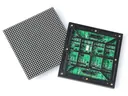
 Outdoor SMD Screens
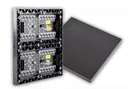 Indoor SMD Screens
 Flexible SMD Screens

What Is a “Virtual Pixel” in an SMD Screen?
What Is a “Virtual Pixel” in an SMD Screen? When comparing LED display specifications, you may see the term virtual…
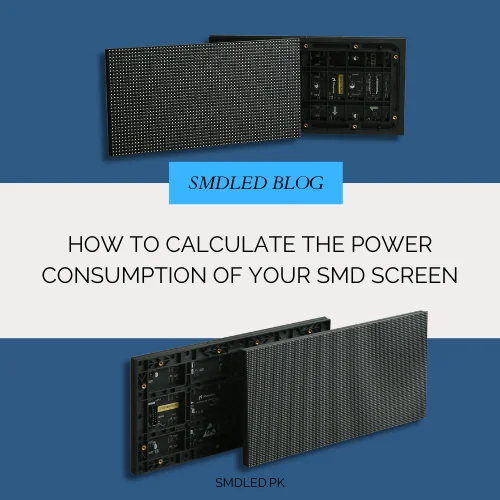
SMD screen power consumption is often overlooked in LED display planning. Whether you are installing an indoor display, an outdoor billboard or a large video wall, understanding power use helps with electrical safety, running cost estimates and reliable operation.
This article explains, step by step, how to estimate power and energy use for planning. Final electrical design must be done by a qualified electrician.
It is the electrical power an LED screen draws while operating, and the energy it uses over time. It is measured in:
• Watts (W) or kilowatts (kW) for power
• Kilowatt-hours (kWh, “units”) for energy over time
It depends on several technical and environmental factors.
Understanding power use helps you:
• Give your electrician the right figures for cabling and protection
• Estimate monthly energy use and cost
• Plan generator or UPS backup
• Avoid overloaded circuits
• Support a safe, compliant installation
Poor planning can lead to tripping, failures and unexpected costs.
Several variables influence power use.
Finer pixel pitch screens have more LEDs per square metre, but power also depends on LED efficiency and driver design (for example common-cathode designs). Compare datasheet figures rather than assuming.
Higher brightness settings use more power.
Bright, white-heavy content uses more power than dark content.
Larger screens use more power in total.
Outdoor screens run at higher brightness, so they generally use more power per square metre.
Power supply efficiency, fans or air-conditioning, controllers and media players also add to the total.
The best source is the product datasheet, which usually lists maximum and average (typical) power per square metre or per cabinet. Values vary widely between products, so do not rely on generic figures.
As a broad pattern, outdoor screens (outdoor SMD screens) draw considerably more per square metre than indoor SMD screens because of their brightness.
See, for example, the BIA Indoor SMD Screen Module and BIA Outdoor SMD Screen Module, and ask us for their datasheets.
Example (figures assumed for illustration; use your datasheet):
Screen size: 10 square metres
Type: Outdoor
Maximum power per square metre (from datasheet): 700 W
Calculation
10 × 700 W = 7,000 W = 7 kW maximum load
Add any ancillary loads, such as cooling and controllers. This maximum figure is what your electrician needs for design.
For energy use, use the average power, not the maximum.
Example
Average power from datasheet (assumed): 250 W per m²
10 m² × 250 W = 2.5 kW average
Running 10 hours per day
Daily energy
2.5 × 10 = 25 kWh
Monthly energy (30 days)
25 × 30 = 750 kWh
Multiply by the per-unit rate on your own electricity bill to estimate cost. Measuring actual consumption on site with a meter gives the most accurate figure.
Maximum and average power serve different purposes.
Maximum power
• Drawn at full brightness on full white
• Used for electrical design
Average power
• Typical draw with normal content and settings
• Used for energy and cost estimates
• How it compares with maximum varies by product, brightness and content; use the datasheet figure or measure it
Large video walls need careful planning.
Considerations
• Total maximum load
• Distribution across circuits and phases
• Redundant power supplies where reliability is critical
For indoor fine-pitch walls such as the BIA HDR 4K LED Video Wall, ask for the power figures for your configuration.
Indoor screens
• Lower brightness
• Lower power per square metre
• Still need a properly designed, protected supply
Outdoor screens
• Higher brightness
• Dedicated, protected supply usually recommended
• Backup power where downtime is not acceptable
Electrical work must be designed and installed by a qualified electrician.
Good practice
• Use quality, certified power supplies
• Size cables and protection correctly, allowing for power factor, inrush current at switch-on, cable length and ambient temperature
• Proper earthing
• Surge protection
Good electrical design also helps protect the screen.
Backup sizing starts from the screen’s maximum load but must also consider:
• Power factor (kVA vs kW)
• Inrush current when the screen powers up
• Other loads on the same backup, such as cooling and controllers
• Generator derating for temperature and altitude
A UPS is often used only for the control system, for safe shutdown or short outages. Have a qualified electrician size backup systems; incorrect sizing can cause damage or failures.
Ways to reduce consumption:
• Automatic brightness adjustment
• Scheduling to dim or switch off when not needed
• Efficient driver ICs and power supplies
• Darker content backgrounds
Measure before and after changes to see the actual effect.
Common mistakes include
• Using average power for electrical design
• Using maximum power for cost estimates
• Ignoring ancillary loads and inrush current
• Low-quality power supplies
• No backup plan where it is needed
When selecting screens, ask for
• Maximum and average power per square metre or cabinet
• Power factor and power supply efficiency
• Brightness at those power figures
Explore our SMD screens, ask us for datasheets and power figures, or follow our updates on Facebook.
It depends on size, brightness, content and the specific product. Use the datasheet’s maximum and average figures.
The typical draw with normal content and settings. Its relation to maximum varies by product and use; check the datasheet or measure on site.
Generally yes, per square metre, because of their higher brightness.
Yes, with automatic brightness control, scheduling, efficient components and darker content.
Not always. Backup is recommended where outages are common and downtime matters. A qualified electrician should size it.
Understanding power consumption helps you plan safely and estimate running costs. Use datasheet figures, separate maximum and average power, and involve a qualified electrician.
Explore SMD screens, browse products, get power figures for your project, or follow us on Facebook.

What Is a “Virtual Pixel” in an SMD Screen? When comparing LED display specifications, you may see the term virtual…

SMD vs. LCD Video Walls: The Pros and Cons for Pakistani Businesses Businesses across Pakistan use large display systems for…

The Complete Guide to SMD Screen Modules (320×160 vs. 250×250) LED display screens are built from smaller units called modules.…